Shared Hosting
  WordPress Hosting
  VPS Hosting
  Dedicated Servers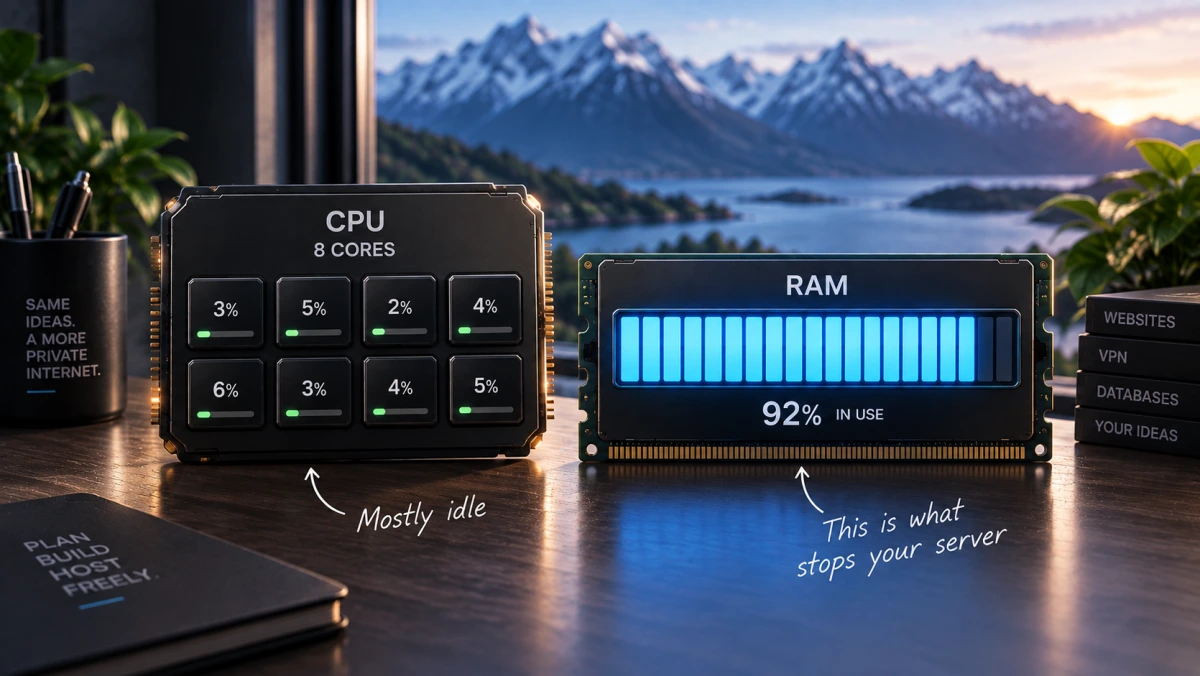
Most People Buy Too Much VPS
Most guides on how to choose a VPS are really upsell funnels. They walk you up the tiers, describe the top plan as future-proof, and never mention that a great many projects run comfortably on the second-cheapest option. After sixteen years in this industry, the most common mistake we see is not people buying too little. It is people paying for cores they will rarely touch while under-sizing the resource that turns a slow afternoon into an outage.
Here is what each line on an order page means in practice, and how to work out which one you need.
The short version: for ordinary small VPS workloads, RAM is usually the first resource worth sizing carefully, and you add CPU when your workload genuinely needs CPU. Treat unmetered and unlimited as different words. Start one tier lower than you think and upgrade when something actually strains, because upgrading is easy and refunds on servers generally are not.
vCPU: the number that travels worst between providers
A vCPU is a virtual processor scheduled on the host's physical CPU. Unless the provider specifically sells dedicated cores, it should not be read as one physical core reserved exclusively for you.
That is why vCPU counts are close to meaningless as a comparison between providers. The same figure can mean very different things depending on the underlying processor and how heavily the node is packed, and a cheap 8 vCPU plan frequently performs worse than an honest 2 vCPU one. The questions that matter are what the processor actually is and how busy the host is, and only one of those usually appears on the order page.
What genuinely consumes CPU: video encoding, compiling, image processing, heavy or uncached database queries, game servers with a lot of players, and anything doing real computation. Under modest traffic, a typical WordPress site, mail server, VPN endpoint or small Nextcloud instance usually spends far more time idle than CPU-bound. That changes if you add an uncached WooCommerce store, heavy plugins or a sudden traffic spike, so the distinction is about your workload rather than about the software.
If you are in the second group, and many people are, the jump from 2 vCPU to 5 vCPU buys you very little you will notice day to day.
RAM: the resource that turns problems into outages
Running short on CPU usually makes a server slower. Exhausting RAM can trigger the Linux OOM killer, which may terminate a critical process such as your database or web server and turn a performance problem into an outage. That is the asymmetry worth buying against.
Rough working figures for a Linux VPS, assuming no control panel:
| Workload | Realistic RAM |
|---|---|
| Static site, VPN endpoint, small bot, DNS | 1 to 1.5 GB |
| One WordPress site with modest traffic | 1.5 to 3 GB |
| Several sites, or one with a busy database | 3 to 4 GB |
| Docker stack with several services, Nextcloud, mail plus web | 4 to 7 GB |
| Add a control panel such as cPanel or DirectAdmin | Add 1 to 2 GB on top |
Two practical notes. A control panel is convenient and it is not free: it consumes memory permanently, which is why an experienced buyer running a single service often skips it. And swap is not a substitute for RAM. It stops the kernel killing things, at the cost of performance falling off a cliff. It is a safety net, not a plan.
Storage: size first, then type
NVMe is genuinely faster than SATA SSD, and for many workloads the difference is invisible. It matters for databases doing heavy random reads and writes. It matters much less for serving files, which is what most web servers mainly do.
Capacity is the part people misjudge, because they size for their data and forget everything else on the disk. The operating system takes several gigabytes. Logs grow. Package caches grow. Docker images are large and accumulate quietly. Backups, if you keep any locally, are usually the biggest consumer of all.
A useful rule: work out your actual data, double it, then add ten gigabytes. If you plan to keep local backups, double it again or, better, send them somewhere else entirely.
Bandwidth: unmetered is not unlimited
This is where the industry is at its least honest, and the two models suit genuinely different people.
Unmetered
No counter on your traffic. There is still a physical limit set by the port speed, and there is normally a fair-use benchmark, because one customer saturating a 1 Gbit line continuously would move hundreds of terabytes a month and degrade everyone around them. Ours sits at roughly 15 TB a month on the 1 Gbit line, and it is a benchmark rather than a hard cap. Good for unpredictable traffic that is rarely enormous.
Metered
A fixed allowance you can count, on a much faster port. On our 10 Gbit plans that is outbound only, inbound is free, with a notification at around 80 per cent and throttling at the allowance rather than an overage bill. Extra blocks can be bought manually if you need them. Good for predictable heavy transfer where you want burst speed and know your numbers.
Unlimited means neither of these. Every provider using the word has a fair-use clause somewhere in its terms doing the real work, and the only question is whether they told you before or after you signed up. Read the acceptable use policy, not the pricing page.
Counterintuitively, the slower-looking plan is right for most people. A 1 Gbit unmetered line with a 15 TB benchmark carries far more traffic than a 10 Gbit line with a 1 TB allowance. The 10 Gbit tier is for moving large volumes quickly, not for moving more in total.
Virtualization: KVM or containers
KVM gives you a full virtual machine with its own kernel, which provides considerably more flexibility and isolation than container-based VPS platforms. You can load kernel modules, run Docker properly, install a custom OS, and set up WireGuard without asking anyone.
Container systems such as OpenVZ and LXC share the host kernel, so custom kernels and certain low-level networking or kernel features are unavailable. They are cheaper and denser, which is why the very low-cost end of the market runs on them, and for simple web workloads they are often fine. The restrictions tend to surface at exactly the moment you try to do something interesting.
If the plan does not say KVM, ask. All of ours are KVM with full root access.
The things that are not on the spec sheet
- Where the server physically is. Distance puts a floor under latency, but routing and peering determine the path your traffic actually takes. A faster CPU cannot compensate for a badly located or badly connected server. Location also determines whose law applies, which is covered in what offshore hosting actually means.
- What DDoS protection means here. Almost every provider claims it. The range runs from null-routing your IP when an attack starts, which protects the provider and takes you offline, all the way to real scrubbing that keeps you up. Ask which one before you need to know.
- How you reach the server when SSH is broken. Some form of out-of-band console is the difference between a ten-minute fix and a reinstall. Ours is a browser-based console rather than full IPMI, which is normal for VPS plans, but the important thing is that something exists.
- What happens on the billing side. Whether the renewal price matches the signup price, whether upgrading in place is possible or means rebuilding, and what the refund position is. Servers are generally not refundable the way shared hosting is, ours included, so the cheaper tier is the low-risk way to start.
- Who answers the ticket. At two in the morning, with a broken box, this matters more than any number on the order page.
Shared, VPS or dedicated
Shared hosting is enough when
you are running websites and nothing else, you do not need root, and you would rather someone else handled updates and security patching. Plenty of people buy a VPS to run one WordPress site and end up doing sysadmin work they never wanted.
Move to a VPS when
you need root, a specific software stack, a VPN, Docker, a game server, a mail server, or anything that is not a website. Also when shared hosting resource limits start interrupting you.
Move to dedicated when
you need guaranteed performance with no neighbours, a lot of RAM, or hardware-level control. The jump is large, roughly from tens to hundreds per month, so it should follow a measured problem rather than a feeling. Details in our Finland and Switzerland dedicated guides.
Applied to our own lineup
Same specs in both countries at every tier, all KVM with full root, dedicated IPv4, optional IPv6 and rDNS, and DDoS protection included. Switzerland costs more and includes more traffic on the metered line; Finland is the better value if jurisdiction is not the deciding factor. Both are compared in Finland versus Switzerland.
| Tier | Specs | FI 1 Gbit | CH 1 Gbit | Suits |
|---|---|---|---|---|
| #1 | 2 vCPU / 1.5 GB / 25 GB | €9.90 | €13.90 | VPN, DNS, static sites, one light app |
| #2 | 3 vCPU / 3 GB / 40 GB | €15.90 | €22.90 | The one most people should buy |
| #3 | 4 vCPU / 4 GB / 60 GB | €22.90 | €32.90 | Several sites, a real database, small Docker stack |
| #4 | 5 vCPU / 7 GB / 80 GB | €32.90 | €45.90 | Multi-service stacks, control panel plus workload |
The 10 Gbit metered line runs alongside these with the same CPU, RAM and disk at each tier, from €19.90 in Finland with 1 TB and €24.90 in Switzerland with 2 TB. Take it only if you know you need burst speed.
Billing runs monthly through to triennially. Semi-annual and longer cycles carry a real discount, which is worth taking once you are confident in the tier, and is a reason to start monthly rather than commit on day one.
Frequently asked questions
How much RAM do I need for a VPS?
More than you think and less than the top tier. A single WordPress site is comfortable on 1.5 to 3 GB. A Docker stack with several services wants 4 GB or more. Add 1 to 2 GB if you install a control panel. Because exhausting RAM can take a service down rather than just slow it, this is the figure worth erring upward on.
Is unmetered bandwidth really unlimited?
No. Unmetered means there is no counter on your usage, but the port speed is a physical ceiling and there is normally a fair-use benchmark behind it. It is generous for real workloads. Anyone advertising truly unlimited has a fair-use clause in their terms doing the same job less openly.
Do I need NVMe storage?
Mainly if you are running a database with heavy random reads and writes. For serving files and running typical web applications the difference is not something most people perceive. Capacity and headroom usually matter more than the disk technology.
Should I buy a bigger plan to be safe?
Usually not. Upgrading later is straightforward, whereas getting money back for an oversized server generally is not, and the second tier covers a wide range of real workloads. Start lower, watch your memory usage for a couple of weeks, and move up when something actually strains.
What is the difference between vCPU and a real CPU core?
A vCPU is a virtual processor scheduled on the host's physical CPU rather than a core reserved for you, unless the provider explicitly sells dedicated cores. How much real performance it represents depends on the underlying processor and how busy the host is, which is why vCPU counts are not comparable between providers.
Can I upgrade a VPS without rebuilding it?
On our plans, yes. Resources are increased on the existing virtual machine, so your data and configuration stay in place. Worth confirming with any provider before you buy, because not everyone works that way.