Shared Hosting
  WordPress Hosting
  Cloud VPS Hosting
  Dedicated Servers
Choosing the best Minecraft server hosting in 2026 depends on the type of server you want to run, how many players you expect, and how much control you want over the setup.
A small private vanilla world for a few friends is very different from a public SMP, a Paper server with plugins, a Fabric server with performance mods, or a heavy Forge modpack with automation, extra dimensions, and lots of entities.
This guide compares the main Minecraft server hosting options, explains how much RAM you may need, and helps you choose between managed hosting, VPS hosting, dedicated servers, and home hosting.
- Managed Minecraft hosting
- Budget VPS hosting
- Performance VPS hosting
- Dedicated server hosting
- Home hosting
What Is the Best Minecraft Server Hosting Option?
For most beginners, managed Minecraft hosting is the easiest starting point. It usually includes a game panel, console access, file management, backups, and one-click tools for common server types.
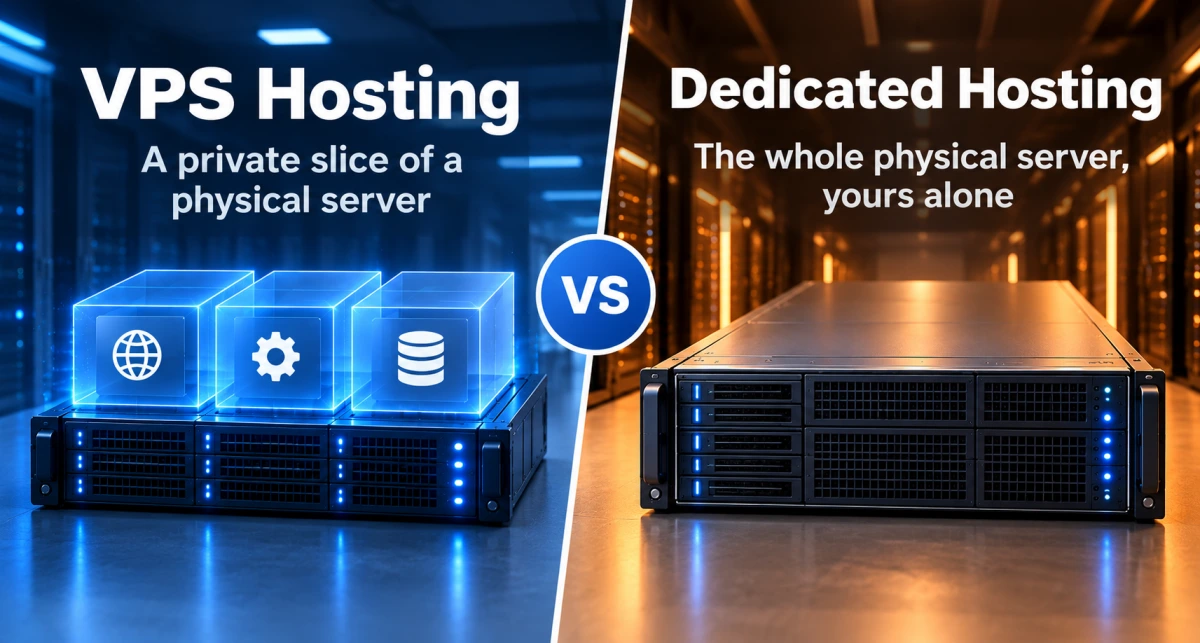
For players who want more control, VPS hosting is often the better long-term option. A VPS gives you more freedom to install Java, choose your server software, configure backups, adjust performance settings, and run other tools alongside Minecraft.
For larger communities, heavy modpacks, or multiple Minecraft servers, dedicated server hosting gives the most predictable performance because the physical machine is reserved for your use.
| Hosting option | Best for | Main benefit | Main downside |
|---|---|---|---|
| Managed Minecraft hosting | Beginners and fast setup | Easy control panel | Less system control |
| Budget VPS | Small private servers | Affordable flexibility | Requires setup |
| Performance VPS | Plugins, mods, SMPs | More power and control | More technical |
| Dedicated server | Large communities | Full hardware resources | Higher cost |
| Home hosting | Testing and learning | Low cost | Weak uptime and security |
What Makes a Good Minecraft Server?
A good Minecraft server is not only about RAM. RAM matters, but Minecraft also depends heavily on CPU performance, disk speed, server location, network quality, and how well the server is configured.
The most important things to look for are:
- Strong CPU performance, especially single-core performance
- Enough RAM for your player count, plugins, mods, and world size
- SSD or NVMe storage for faster world loading and saving
- Low latency between the server and your players
- DDoS protection for public or semi-public servers
- Reliable backups
- Root access or a good control panel
- Good uptime
- The right Java version for your Minecraft version
- A server location close to most of your players
Minecraft’s official Java server page allows users to download and run their own Java Edition server, but running a multiplayer server yourself can become technical. That is why many players use managed hosting, VPS hosting, or dedicated hosting instead of running everything from home.
1. Managed Minecraft Hosting
Managed Minecraft hosting is the easiest way to start a server. These hosts usually include a Minecraft control panel, console access, file manager, modpack tools, backups, and simple start or restart controls.
This is a strong choice if you want to get online quickly and do not want to manage Linux, Java installation, firewall rules, SSH, or startup scripts.
Managed Minecraft hosting is best for:
- First-time server owners
- Small friend groups
- Players who want the easiest setup
- People who want one-click modpack installs
- Server owners who prefer Minecraft-specific support
The main tradeoff is control. You may not get full root access, and some providers limit what you can change outside the game panel. For many beginners, that is fine. For more advanced server owners, it can become limiting later.
2. Budget VPS Hosting
A budget VPS can be a good fit for a small Minecraft server, especially if you are running vanilla Minecraft or a lightweight Paper server.
With a VPS, you get a virtual server where you can install Java, upload server files, configure firewall rules, manage backups, and choose your own Minecraft server software. That extra control is useful if you want to learn server administration or build a setup that is not limited by a standard game panel.
A budget VPS is best for:
- Small private servers
- Vanilla Minecraft
- Lightweight Paper servers
- Small SMPs
- Players who want more control than managed hosting
For very small servers, 2 GB to 4 GB of RAM may be enough. For a modern Minecraft server that you want to keep online long term, 4 GB is a safer starting point.
A VPS is more technical than managed Minecraft hosting, but it gives you more freedom. You can decide how the server runs, what software it uses, how backups work, and what else is installed on the machine.
3. Performance VPS Hosting
A performance VPS is the better option when your Minecraft server grows beyond a simple private vanilla world.
This is the type of setup to consider if you are running:
- Paper with plugins
- Fabric mods
- Forge or NeoForge modpacks
- A public SMP
- A larger private community
- Large worlds
- Farms, redstone machines, or many entities
- A server where uptime matters
Paper is popular for plugin-based Minecraft servers because it is designed for better performance and server-side control compared with a basic vanilla setup. Fabric is often used for lightweight modding and performance-focused mods, while Forge and NeoForge are common choices for larger modpacks.
For modded Minecraft, RAM requirements can increase quickly. Lightly modded servers can often start around 4 GB to 6 GB, while heavier modpacks may need 8 GB to 12 GB or more. Large automation-heavy worlds, extra dimensions, high player activity, and heavy modpacks can push requirements even higher.
The main advantage of a stronger VPS is flexibility. You can run Minecraft, backups, monitoring, a status page, a small website, a Discord bot, or a web control panel from the same server, as long as you have enough resources.
This is where many serious server owners start to outgrow basic panels. A panel is convenient, but full server control makes it easier to tune performance, manage updates, handle backups, and build a setup that can grow with the community.
4. Dedicated Server Hosting
A dedicated server is the strongest option for serious Minecraft hosting. Instead of sharing a physical machine with other customers, the CPU, RAM, storage, and network resources are reserved for your use.
Dedicated servers are best for:
- Large public Minecraft communities
- Heavy modpacks
- Multiple Minecraft servers
- Proxy networks using Velocity
- Minigame servers
- Large worlds
- High player counts
- Long-term communities
A dedicated server is not necessary for every Minecraft world. A small friend group does not need one. But if you are running a serious public server, a large modded community, or multiple Minecraft instances on one machine, dedicated hosting can be worth it.
The biggest advantage is consistency. You get more predictable performance and more control over the full environment. The downside is that dedicated servers require more technical knowledge, including operating system updates, Java management, firewall rules, backups, monitoring, and server software maintenance.
5. Home Hosting
Home hosting means running the Minecraft server from your own computer or spare hardware. It can work for testing, learning, or temporary private play.
Home hosting is best for:
- Testing
- Learning
- LAN-style play
- Temporary private servers
- Very small groups
The downsides are significant. Your home internet may not have enough upload speed. Your IP address may change. You may need port forwarding. Your home IP can be exposed. If your power or internet goes down, the server goes offline. You also do not get professional DDoS protection.
Home hosting is fine for experiments, but it is usually not the best choice for a public server or long-term community.
How Much RAM Does a Minecraft Server Need?
There is no single RAM number that works for every Minecraft server. It depends on player count, server software, plugins, mods, view distance, world size, exploration, farms, mobs, entities, redstone, and whether the world is pre-generated.
As a practical starting point:
| Server type | Suggested starting RAM |
|---|---|
| Small vanilla server, 1 to 5 players | 2 GB to 4 GB |
| Vanilla server, 6 to 10 players | 4 GB to 6 GB |
| Small Paper server with plugins | 4 GB to 8 GB |
| Larger Paper server | 8 GB to 12 GB |
| Light modded server | 4 GB to 6 GB |
| Server with 50+ mods | 6 GB to 8 GB |
| Heavy modpack | 8 GB to 12 GB or more |
| Large automation-heavy world | 16 GB or more |
These are starting points, not fixed rules. A well-optimized 6 GB Paper server can run better than a badly configured 12 GB server. CPU performance, disk speed, view distance, and entity count matter too.
Java vs Bedrock Hosting
Before choosing a host, you need to know whether you are running Java Edition or Bedrock Edition.
Minecraft Java Edition is the most common choice for PC-based servers, Paper, Spigot, Fabric, Forge, plugins, and modpacks. If you want advanced plugins or modpacks, Java Edition is usually the better direction.
Minecraft Bedrock Dedicated Server is for Bedrock players, including many console, mobile, and Windows players. Bedrock can make more sense if your group plays across different devices.
For most modded Minecraft servers, Java Edition is the better choice. For cross-platform play, Bedrock may be simpler.
Managed Hosting vs VPS vs Dedicated Server
Here is the easiest way to compare the three main hosting paths:
| Feature | Managed Minecraft hosting | VPS hosting | Dedicated server |
|---|---|---|---|
| Beginner friendly | High | Medium | Low to medium |
| Full root access | Usually no | Yes | Yes |
| One-click setup | Usually yes | No, unless you install a panel | No, unless you install a panel |
| Good for plugins | Yes | Yes | Yes |
| Good for modpacks | Yes, if supported | Yes, with enough RAM | Yes |
| Best for large communities | Sometimes | Good | Best |
| Technical control | Limited | High | Highest |
| Cost | Low to medium | Medium | Higher |
When a Minecraft Server Outgrows a Basic Panel
Many Minecraft servers start with managed hosting because it is fast and simple. That makes sense. But as the server grows, the limits become easier to notice.
You may want better control over Java versions, startup flags, backup schedules, firewall rules, monitoring, plugins, server files, or other services around the Minecraft server. You may also want to run a website, a status page, a Discord bot, or multiple Minecraft instances from the same machine.
That is where VPS and dedicated hosting become more attractive. They are not only about raw power. They are about control, flexibility, and building a server setup that can grow with the world or community.
For a broader look at how different games behave on servers, you can also read our game server hosting guide.
Final Thoughts
The best Minecraft server hosting in 2026 depends on what kind of server you are building.
Choose managed Minecraft hosting if you want the easiest setup. Choose a VPS if you want more control and flexibility. Choose a dedicated server if you are running a larger public server, heavy modpack, multiple Minecraft instances, or a serious long-term community.
Do not choose hosting only by the cheapest price or the biggest RAM number. Choose based on server type, player count, mods, plugins, control needs, uptime expectations, and long-term plans.
FAQ
Is VPS hosting good for Minecraft?
Yes. VPS hosting is good for Minecraft if you are comfortable managing the server yourself. It gives more control over Java, server files, backups, firewall rules, and performance settings.
How much RAM do I need for a Minecraft server?
Small vanilla servers can often start around 2 GB to 4 GB. Plugin-heavy or modded servers usually need more, often 6 GB to 12 GB or higher depending on player count, mods, plugins, and world activity.
Is a dedicated server better than a VPS for Minecraft?
A dedicated server is better for large public servers, heavy modpacks, multiple Minecraft instances, and communities that need predictable resources. A VPS is usually enough for small and medium servers.
Is Paper better than vanilla Minecraft server software?
Paper is usually better for plugin-based servers because it offers more performance controls and plugin support. Vanilla is better if you want the most original Minecraft behavior without plugin changes.
Should I choose Java or Bedrock for my Minecraft server?
Choose Java Edition if you want Paper, Fabric, Forge, plugins, or modpacks. Choose Bedrock if your players are mostly on console, mobile, or Bedrock Edition.