
You can manage your forwarders easily through the DirectAdmin portal. This guide walks you through how to add a email forwarder as well as a pipe sample in DirectAdmin for your Packetra hosting.
Find the Forwarders Section
First, open the E-Mail Manager dropdown in the Control Panel navigation. Select the Forwarders button. This way, you can either add or remove an forwarder types. Once you are on the page you simply click the +Create E-mail Forwarders button.
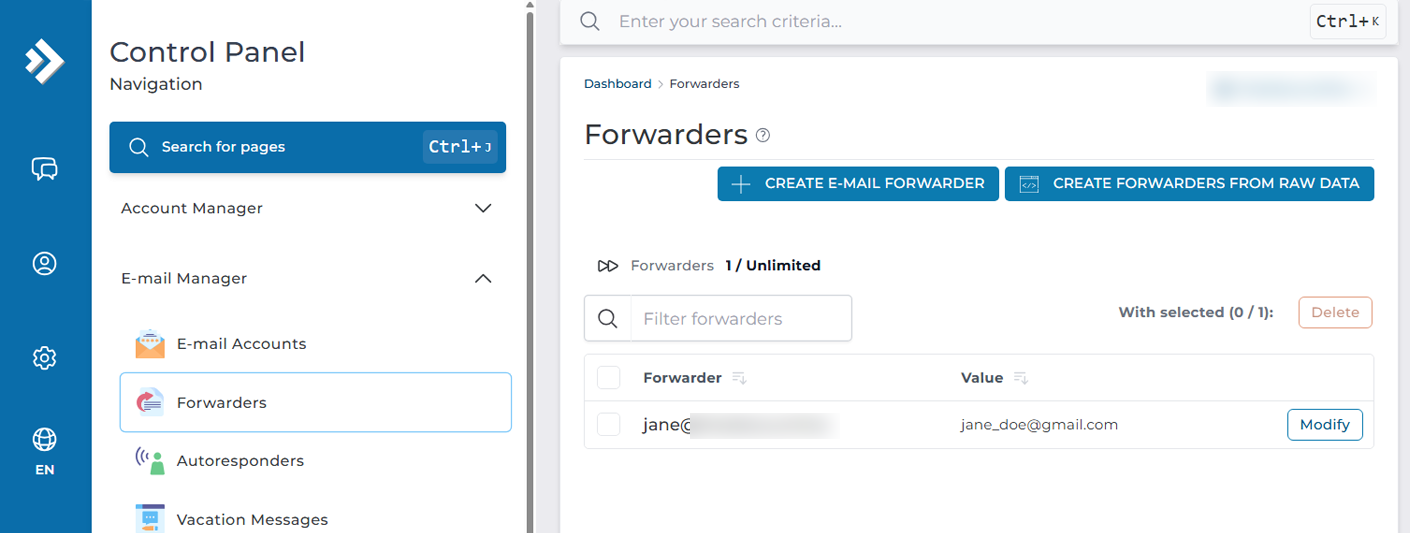
Create Forwarders
Next, on this page you will fill in the information required for each forward type, there are 4 different forwarder types, one is E-mail forwarder, one is Pipe, and then there are two forwarders called :blackhole and :fail. We will start with the Email Forwarder.
Email Forwarder
You will fill in the required information for the forwarder such as “New Forwarder Name” and “Add Destination”. You put in the first one the email you wish to forwarde, and then in the second field where you wish to forward it. In my example joe@example will be forwarded to [email protected], so that when someone sends to my [email protected] my GMAIL will receive it.
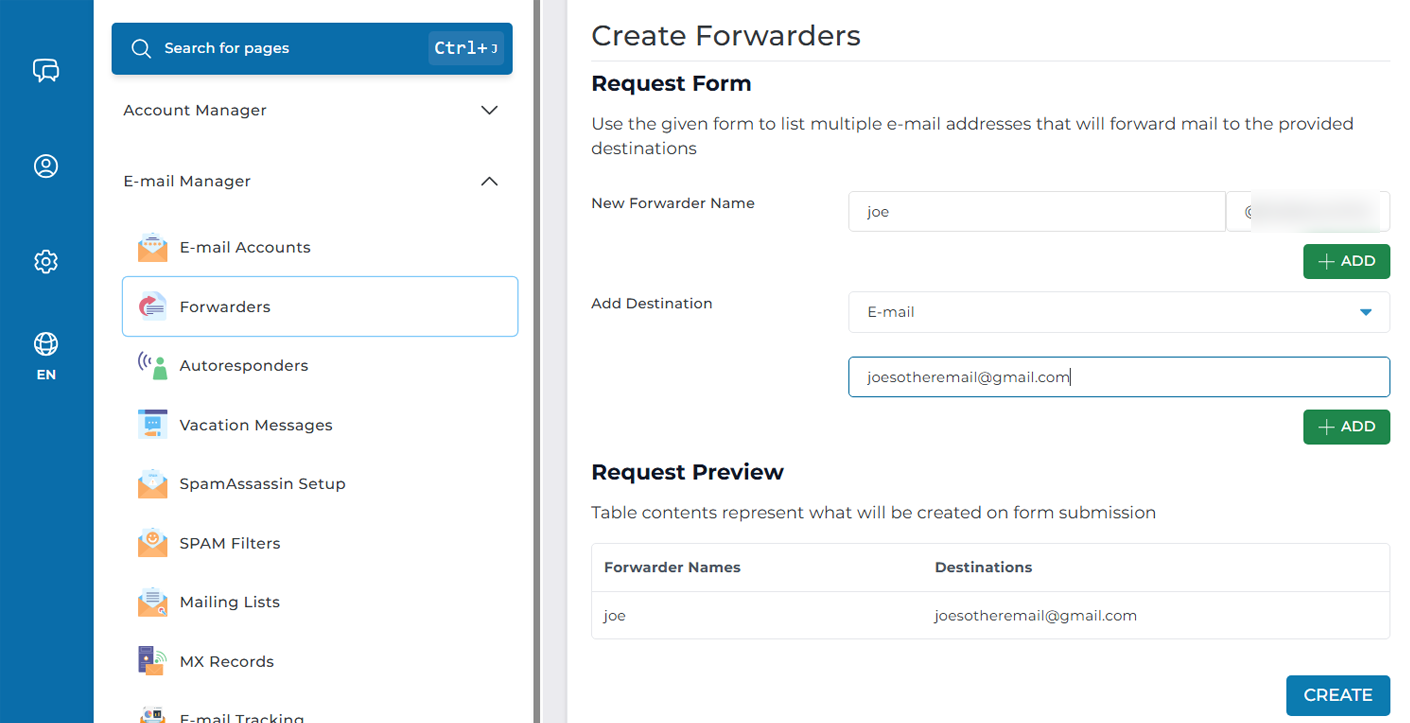
Pipe Forwarder
You will start by filling in the forwarder name, just like in the sample above, in my example I will use “support@example”, then in the destination, we select from the drop down “Pipe”.
What this allows us to do is forward the incoming email content into a pipe, this can be a script pipe such as .php file which handles the incoming data and parses it. In my destination I put for this sample |/usr/bin/php -q /home/yourdomain/public_html/crons/pipe.php and what that does is send the email content to this pipe.php script.
In this example, that script is part of WHMCS which would allow emails sent to be piped to a built ticket board that comes with the billing software. This is of course just one use, there are multiple use cases for a pipe.
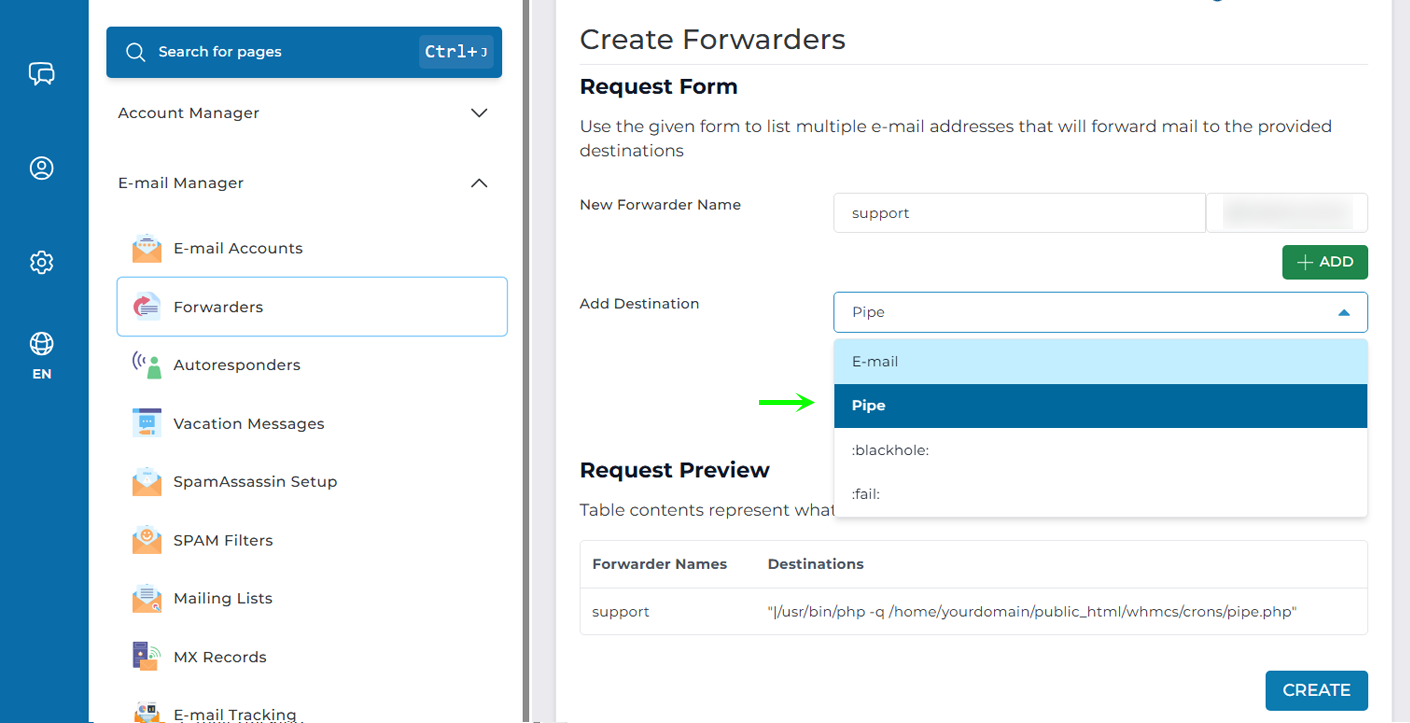
Blackhole and Fail Forwarders
The last two types are :blackhole: and :fail: – blackhole silently discards emails while fail returns a bounce to sender.