How to Manage Your VPS – Start, Reboot, Stop & Shutdown
Contents
You can manage your VPS easily through the Packetra client portal. In this guide, we will walk you through how to start, reboot, stop and shutdown your VPS in just a few clicks.
This article is only applicable to those who have an account with Packetra and it assumes that you are already logged into the portal. Don’t have a VPS yet? Check out our CloudVPS Plans. If you already have one feel free to login to follow the guide below
Navigate to your VPS Services
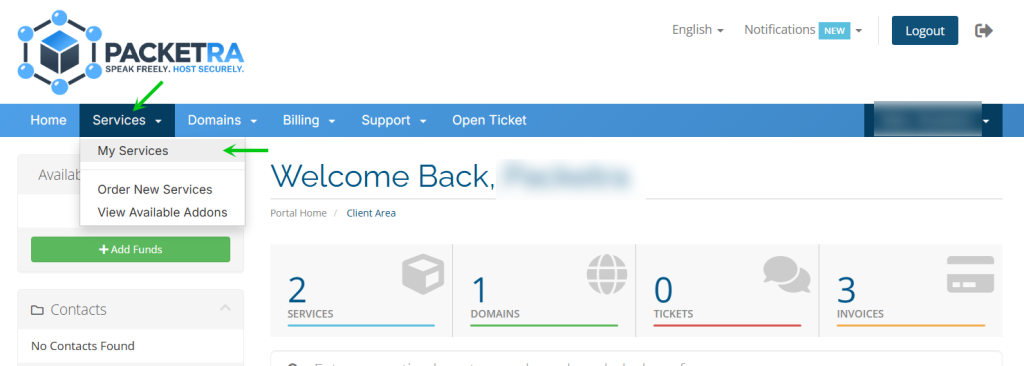
First click the Services tab in the top navigation, then select My Services from the dropdown menu.
Select Your VPS
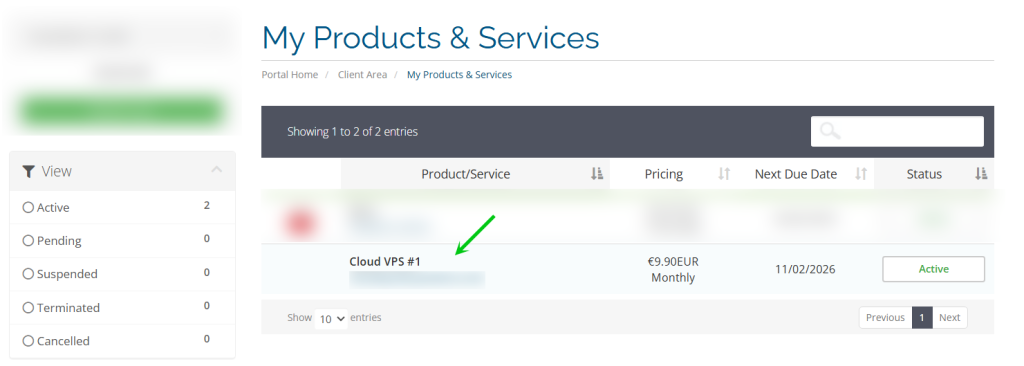
Next, find the active virtual private server you want to manage in the My Products & Services and click on it to open the service details page.
Manage Your VPS Controls
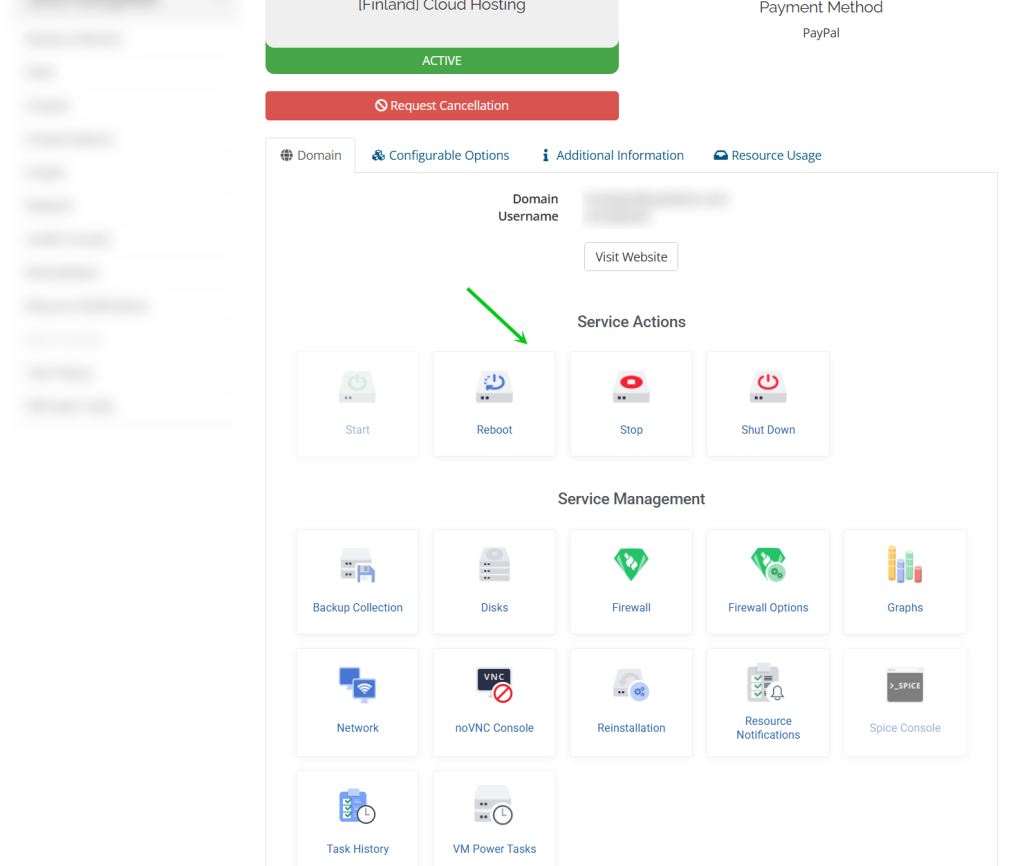
Finally, Look under the Domain tab in the center of the page. You will see all available management options including:
Start – Power on your VPS
Reboot – Restart your VPS (useful after configuration changes)
Stop – Gracefully stop your VPS
Shutdown – Force shutdown your VPS
Additionally, you can also view your current server status on this page.
Frequently Asked Questions
What is the difference between Stop and Shutdown? Stop will gracefully power down your VPS, allowing running processes to close properly. Shutdown forces an immediate power off, similar to pulling the power cable. We recommend using Stop under normal circumstances and only using Shutdown if your VPS is unresponsive.
How long does a reboot take? A reboot typically completes within a few minutes depending on your server configuration. If your VPS does not come back online after 10 minutes, open a support ticket and our team will investigate.
Good to Know All actions are executed in a queue, so you can use these functions at any time. For example , your VPS is unresponsive, try a shutdown followed by a start rather than a reboot.
If you run into any issues managing your VPS, open a support ticket through the client portal and our team will assist you.