
You can manage your cpanel account preferences easily through the cPanel portal. In this guide, we will walk you through with an example of when an account preference may require adjustment in cPanel for your Packetra hosting.
Reason to Adjust cPanel Account Preferences
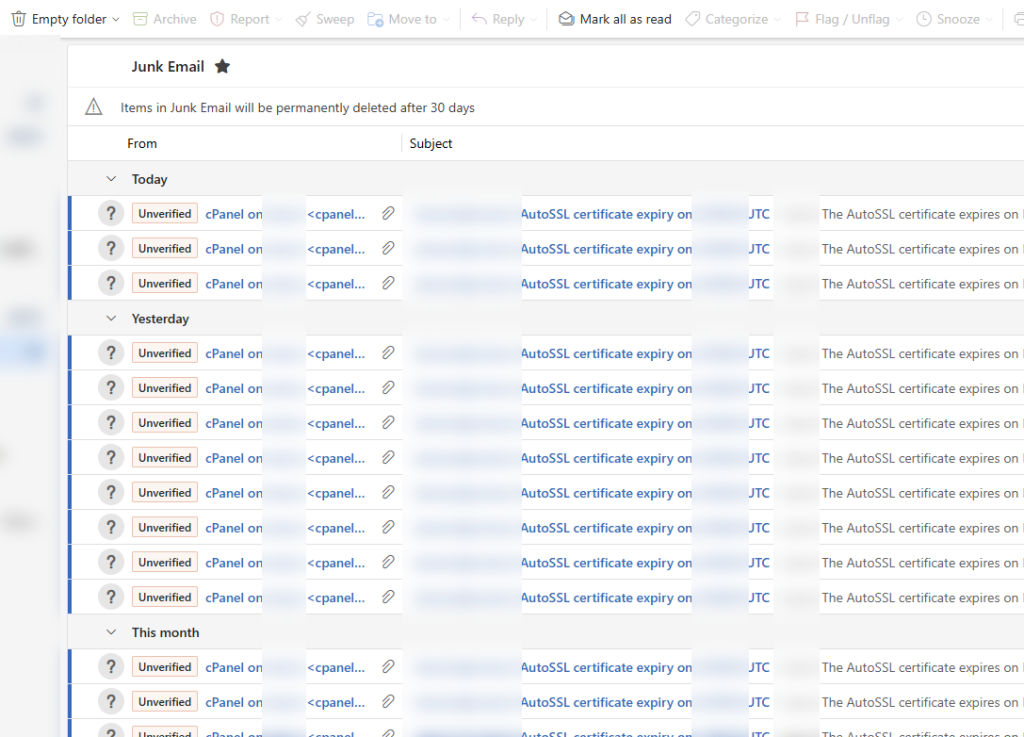
First, lets review the screenshot below. In this article we can clearly see that cPanel is sending us every single day up to renewal that our SSL certificate is expiring soon. This can become quite the nuisance to the end user, you can control this with your Account Preferences in your cPanel and we’ll show you how.
Find cPanel Account Preferences
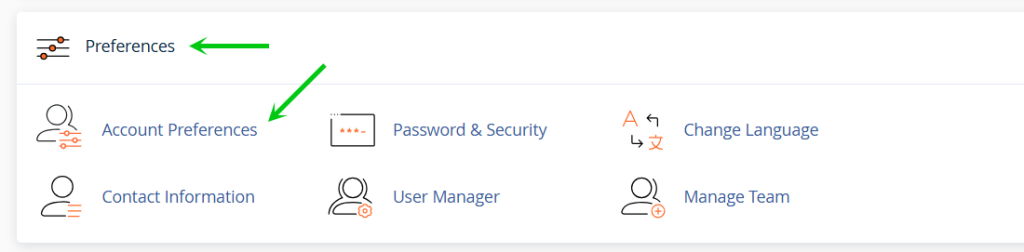
Next, under the Preferences section, click the Account Preferences button, this will take us to our cPanel account preferences page where we can manage quite a few options including silencing the SSL notification.
Adjust Your cPanel Account Preferences
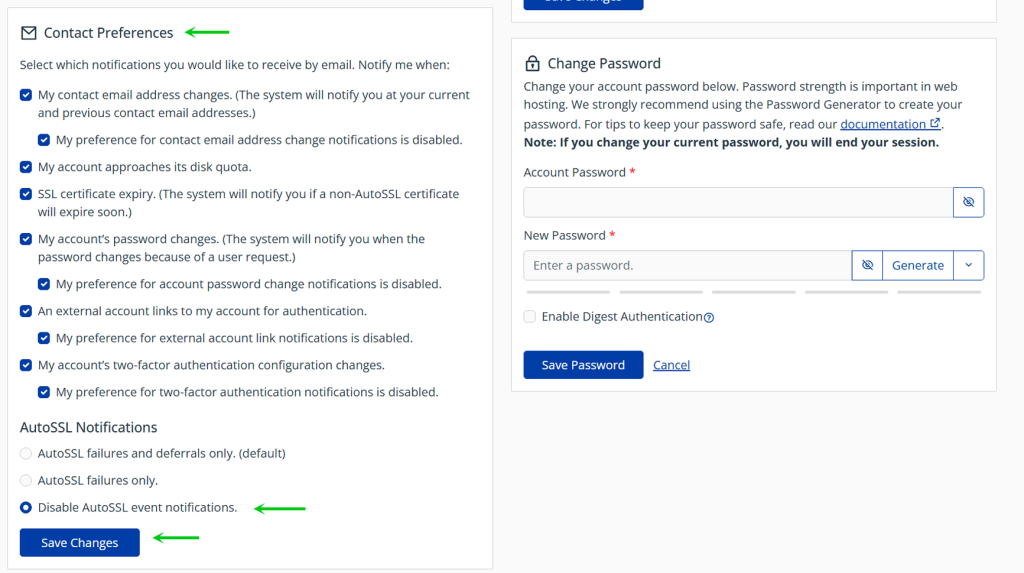
Next, we will scroll down and under Contact Preferences we will ensure that Disable AutoSSL event notification is selected This is not the only thing we can change, there are quite a few preferences you can change on the page but for this tutorial we’re going to shut off all autoSSL notification because as part of cPanel the AutoSSL will if everything is okay renew all by itself. We suggest you maintain the checkmark in SSL Certificate expiry as this is for non-AutoSSL events such as your own certificate which is not renewed automatically.
Successfully Silenced the Notification
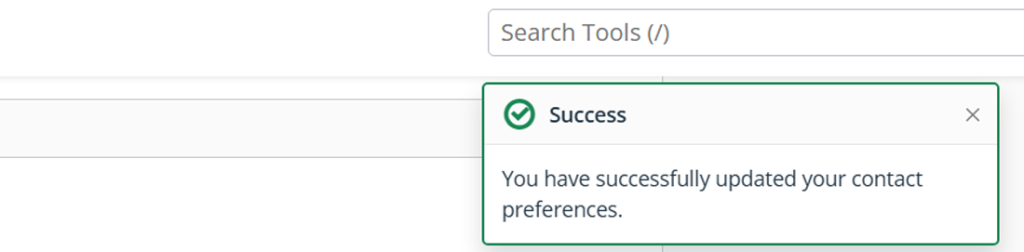
Finally, if the action succeeds without issues, you will see the a green colored Success message in the top right corner.
That is it, now you know how silence the AutoSSL Certificate messages as well as you can adjust other behavior in your cPanel through Packetra hosting.