You can manage your FTP access easily through the cPanel portal. In this guide, we will walk you through how to create cPanel FTP Acccount access in your Packetra hosting account. This is not to be confused with cPanel user, this is an additional user access via FTP.
This article is only applicable to those who have an account with Packetra and it assumes that you are already logged into the cPanel. Don’t have a hosting account yet? Check out our Shared Hosting or WordPress Hosting. If you already have one feel free to login to your portal, click the cPanel hosting service and use one of the quick actions to log onto your cPanel to follow the guide below.
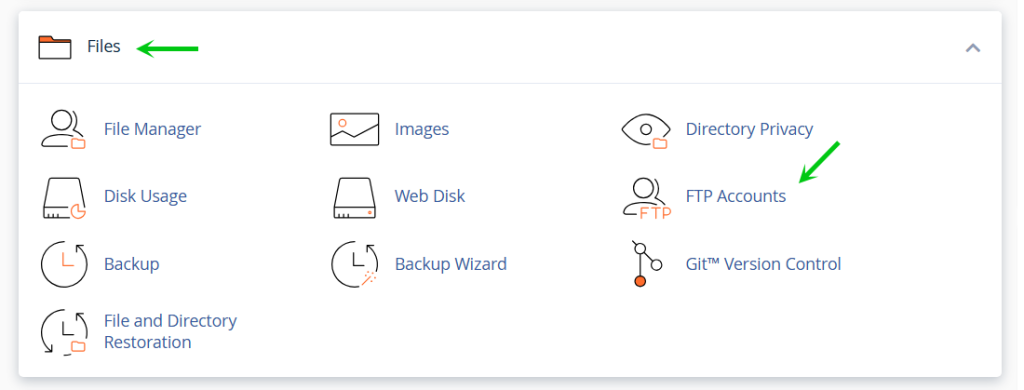
Find the cPanel FTP Section
First, under the Files section, click Database Wizard
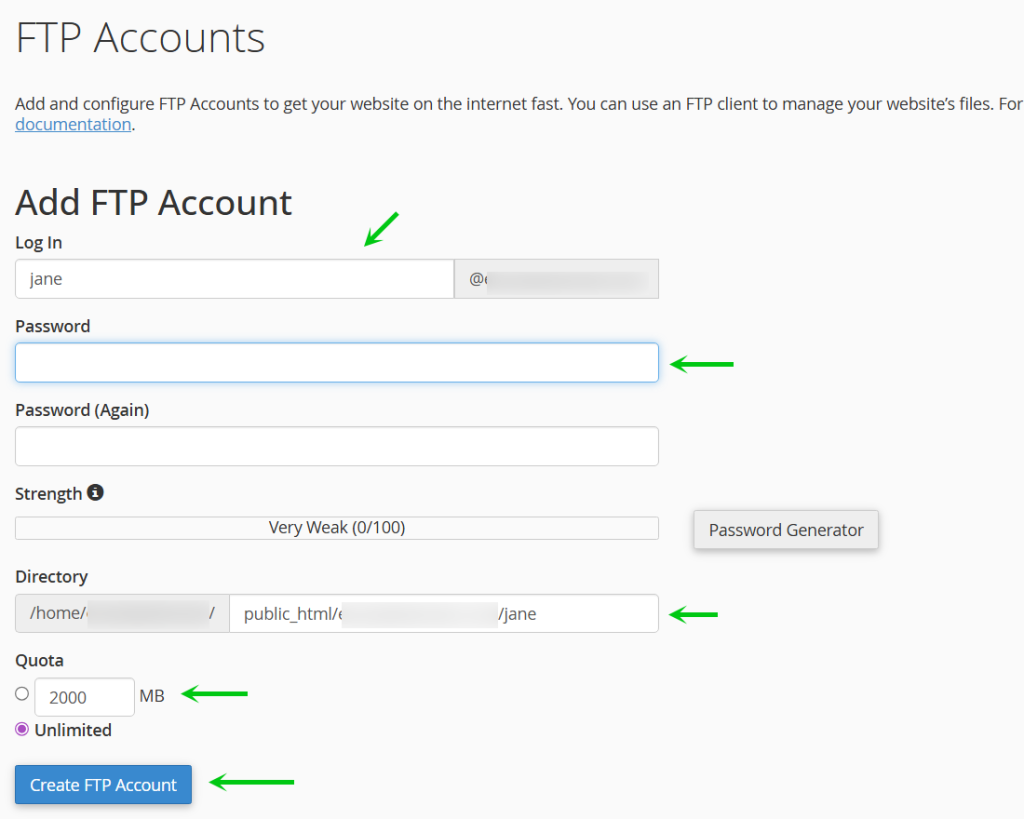
Create cPanel FTP Account
Next, you fill in the required field shown below (Log In, Password, Directory, Quota), If you use the Password Generator remember to write down the password, you then can set the home directory, this is the directory to this FTP account’s home, when you login via applications such as FileZilla your root is this directory. Finally you can set a Quota if you wish to define a particular size for the FTP user. When you are ready you click the blue Create FTP Account
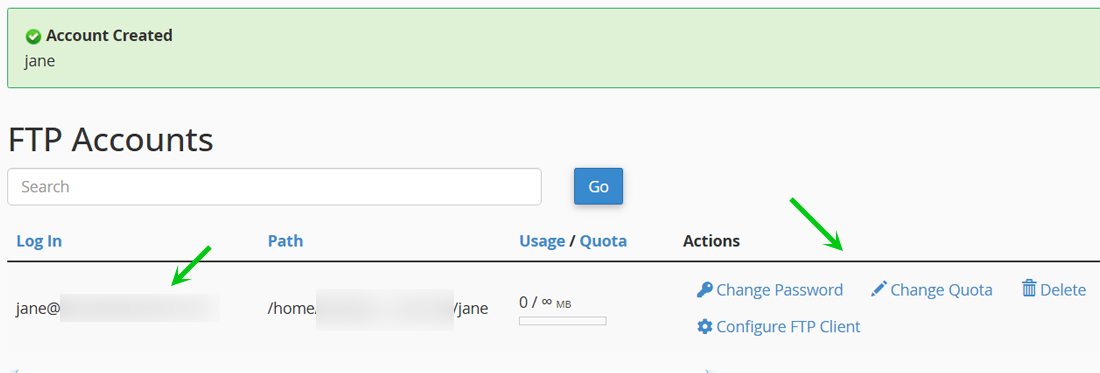
Your FTP User is Ready
Finally, you will see tha the account was created with a success message and a green checkmark. Further down on the page you will see under FTP Accounts the newly created account. You have several options there under Actions you can perform at any time, Change the password, Change the Quota, Delete the account and lastly, you can click Configure FTP Client to get the details you need to add to your FTP application such as FileZilla to connect.
That is it, now you know how to setup your own FTP user in cPanel through your Packetra hosting account.
Frequently Asked Questions
Can I create multiple ftp user? Yes. The number of ftp users you can create depends on your hosting plan. You can check your limit in cPanel on the right panel called Statistics. Packetra however does not limit FTP Account creation so you will see the infinity symbol next to it.
Is the FTP connection secure? By default, standard FTP is unencrypted. We recommend using SFTP or FTPS when connecting through your FTP client to keep your credentials and file transfers secure.
Good to Know Always store your FTP credentials somewhere safe as you will need them to connect through applications like FileZilla. Additionally, remember that cPanel prefixes the FTP username with your hosting account username, so the actual login will be longer than what you typed. For security, we recommend creating separate FTP users for each person or service that needs access rather than sharing one set of credentials. If you no longer need an FTP user, delete it promptly to reduce your attack surface. If you run into any issues, open a support ticket through the client portal and our team will assist you.