You can manage your domain nameservers easily through the Packetra client portal. In this guide, we will walk you through how to change your domain nameservers to either default or custom values.
This article is only applicable to those who have an account with Packetra and it assumes that you are already logged into the portal. Don’t have a Domain yet? Check out our Domain Choices. If you already have one feel free to login to follow the guide below
Navigate to your Domain section
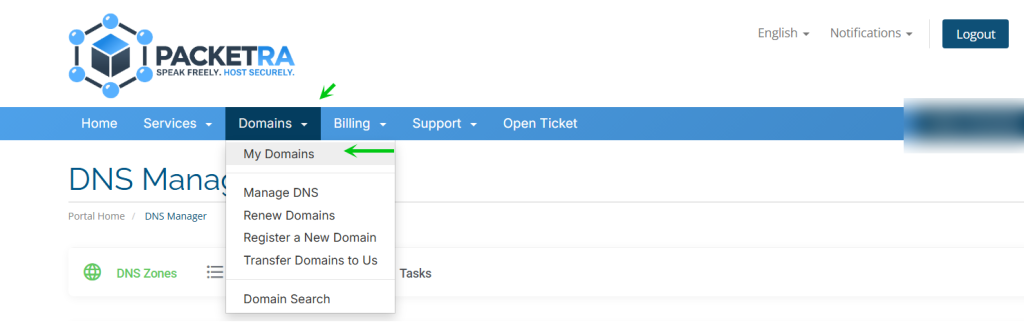
First, click the Domains tab in the top navigation. Then select My Domains from the dropdown menu.
Select Your Domain
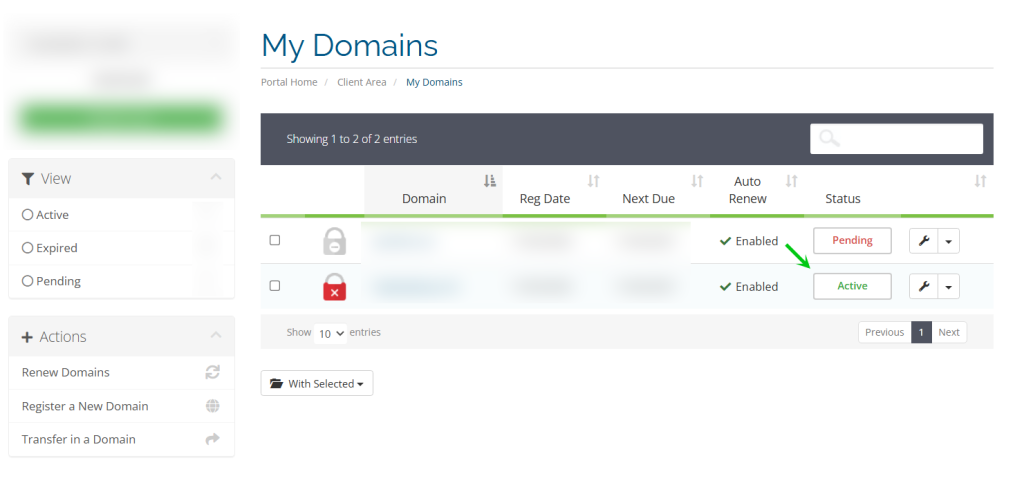
Next, find the domain you wish to manage in My Domains. Click on it to open the domain details page.
Change Your Domain Nameservers
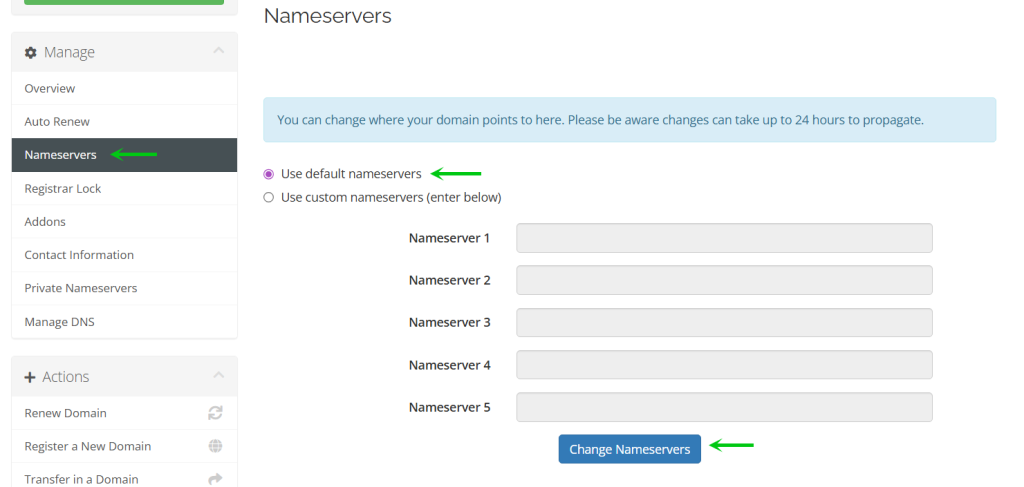
Next, click the Nameservers button on the left side panel. You will see two options:
Default – Uses Packetra’s nameservers, allowing you to manage DNS records directly in the portal.
Custom – Points your domain to a third-party provider such as Cloudflare, where you manage your DNS records externally.
Enter your desired nameservers and click the Change Nameservers button to apply.
Frequently Asked Questions
Will my nameserver be changed right away? Your change processes immediately. However, it can take up to 24 hours (86,400 seconds) to propagate fully across the internet.
Can I manage DNS records in the portal with custom nameservers? No. If you set custom nameservers, DNS record management inside the Packetra portal is disabled. You manage your records at the third-party provider instead. If you want to manage your domain nameservers with Packetra, you leave it as Default.
Should I use the portal or my hosting account for DNS? We strongly recommend using the nameservers that come with your hosting account. This allows you to create subdomains, TXT records, and other entries in one place (cPanel/DirectAdmin) and have them apply immediately.
Good to Know Nameserver changes take effect on our end instantly, but full global propagation can take up to 24 hours. During this time, some visitors may see the old DNS while others see the new one. Additionally, if you are migrating to Packetra from another provider, update your nameservers as the final step after you have moved all your content. If you have any issues with your service, open a support ticket through the client portal and our team will assist you.