
You can manage your emails easily through the cPanel portal. In this guide, we will walk you through setting your DKIM & SPF to improve your email deliverability in cPanel to instill trust in you as a sender.
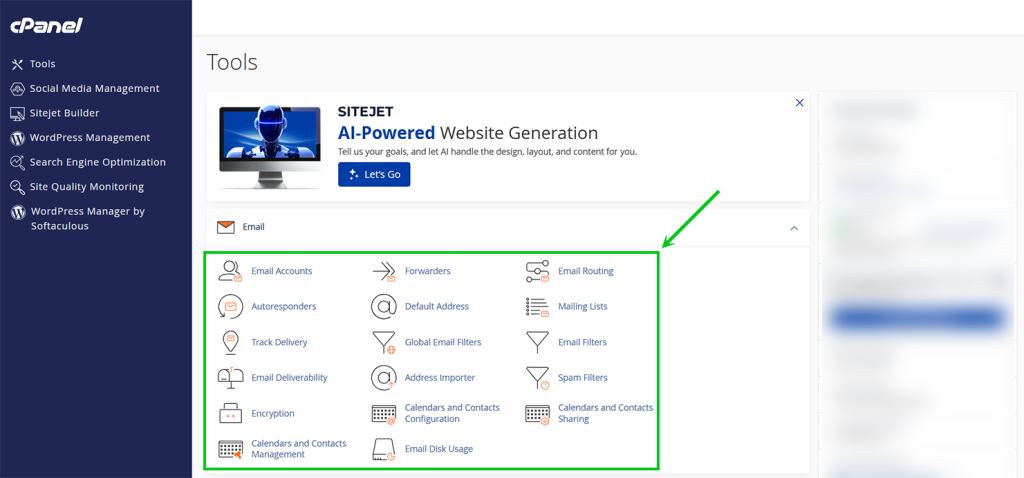
Find the Email Section
Under the Email section, click the Email Deliverability.
Manage cPanel Email Deliverability
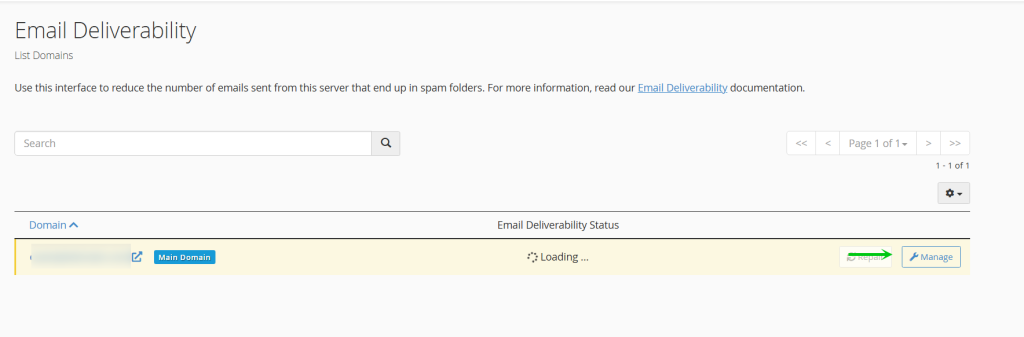
Next, on the Email Deliverability page, you want to click the icon with the wrench Manage next to the domain you wish to improve the email deliverability for in cpanel.
Install DKIM & SPF for Email Deliverability
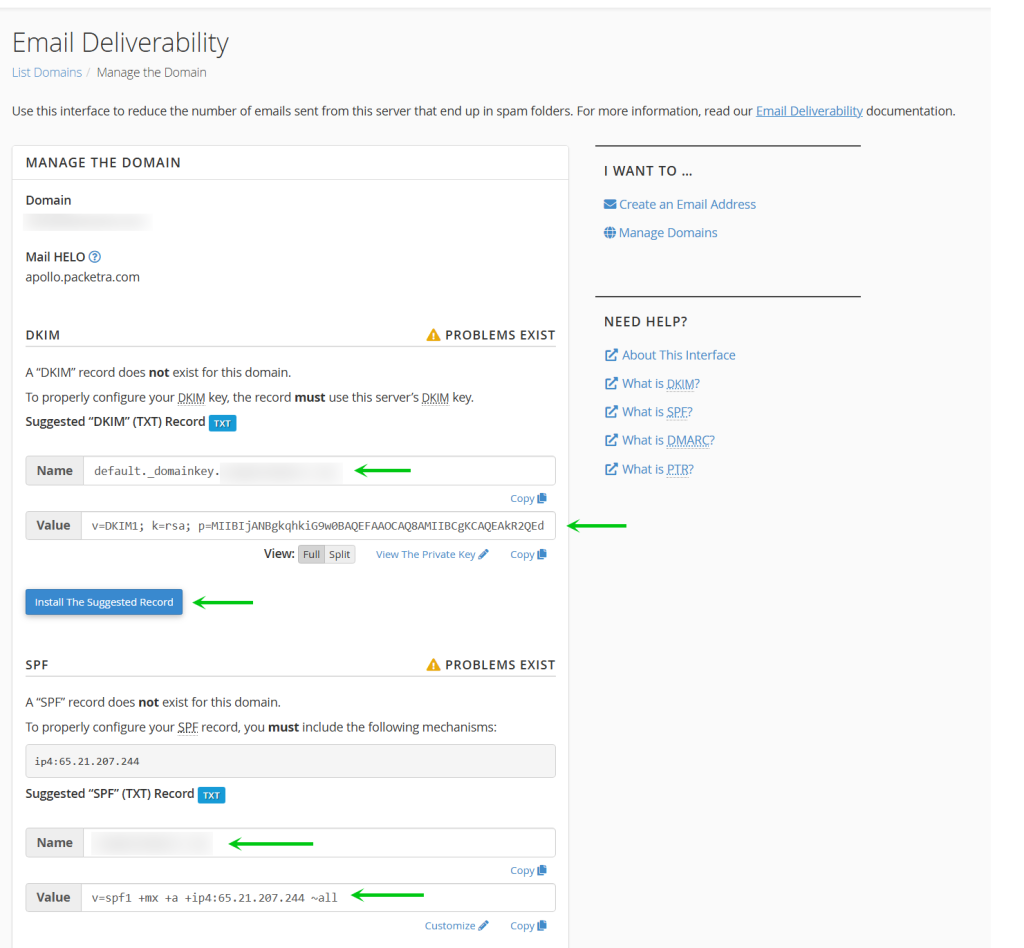
Next, you need to install the appropriate records to your cPanel which will allow you to have DKIM and SPF (Sender Policy Framework), very crucial records so that you can be trusted by other mail servers such as Google. If you come to this page and you see this yellow dialog box above each record like the one below:
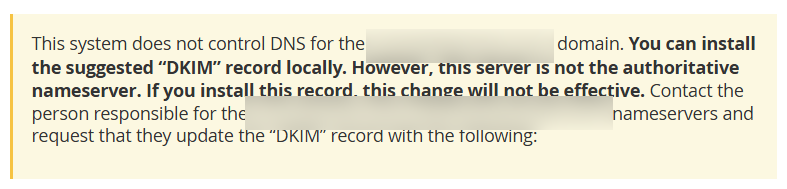
This would indicate that your domain is not being managed by our cPanel hosting server nameservers. This means that clicking the Install The Suggested Record would not be successful, this does not mean you can’t use the records, you simply would have to copy manually the Name & Value of the record type which is TXT, and submit that record to your 3rd party DNS to improve your email deliverability. If however, the box is like below with no such warning, you simply click the Install the Suggested Record to install the record to your domain DNS zone file.
Your cPanel Email Deliverability is Now Improved
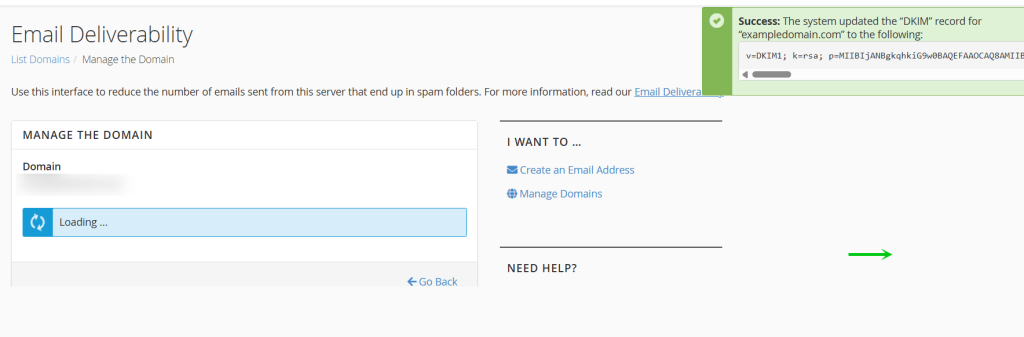
Finally, after you click the Install the Suggested Record you will see a green success message which will idnicate that records were installed to your dns zone for email deliverability.
That is it, now you know how to improve cPanel email deliverability through your Packetra hosting account.