You can manage your databases easily through the cPanel portal. In this guide, we will walk you through how to use the cPanel MySQL Database Wizard to create a cPanel database and user and give it permission in your Packetra cPanel hosting panel.
This article is only applicable to those who have an account with Packetra and it assumes that you are already logged into the cPanel. Don’t have a hosting account yet? Check out our Shared Hosting or WordPress Hosting. If you already have one feel free to login to your portal, click the cPanel hosting service and use one of the quick actions to log onto your cPanel to follow the guide below.
Find the cPanel Database Section
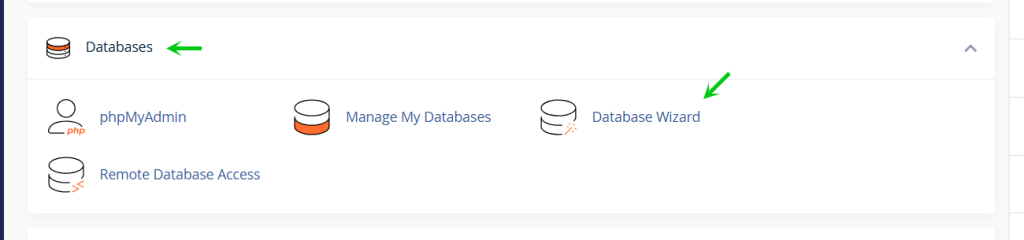
First, under the Databases section, click Database Wizard
Create Your cPanel Database
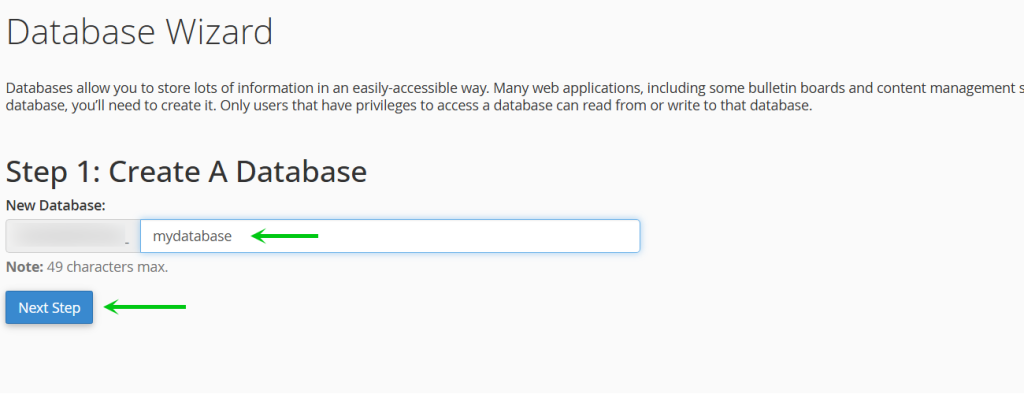
Next, you set the name of your database, it will be prefixed with the username of your hosting account, we’re going ot create “mydatabase” and the name of that database will then be <username>_mydatabase. When you have set a name, you click the blue Next Step button.
Create Database User
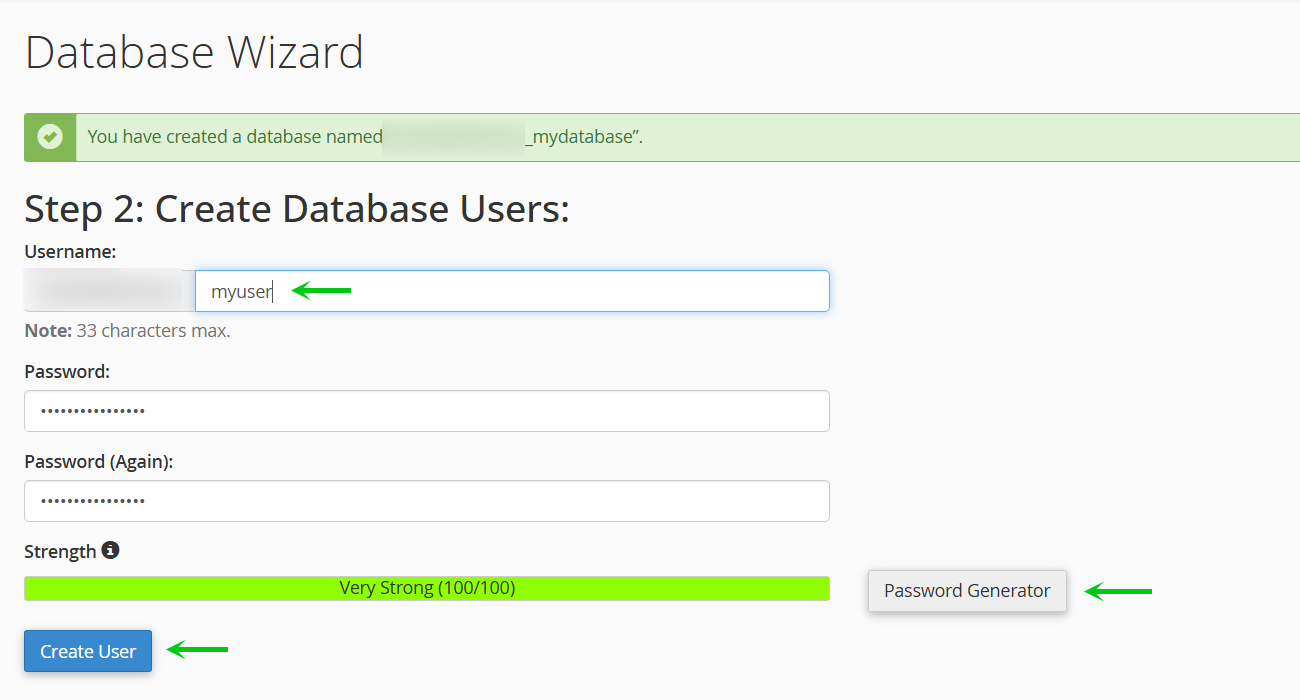
Next, you set the name of the user for the database connection, this too will be prefixed by your hosting account username, we’re going to create “myuser” and the name of the user will then be <username>_myuser. Then generate a password by clicking the Password Generator or manually set your password. When you filled in the required fields, you click the Create User
Set User Permissions
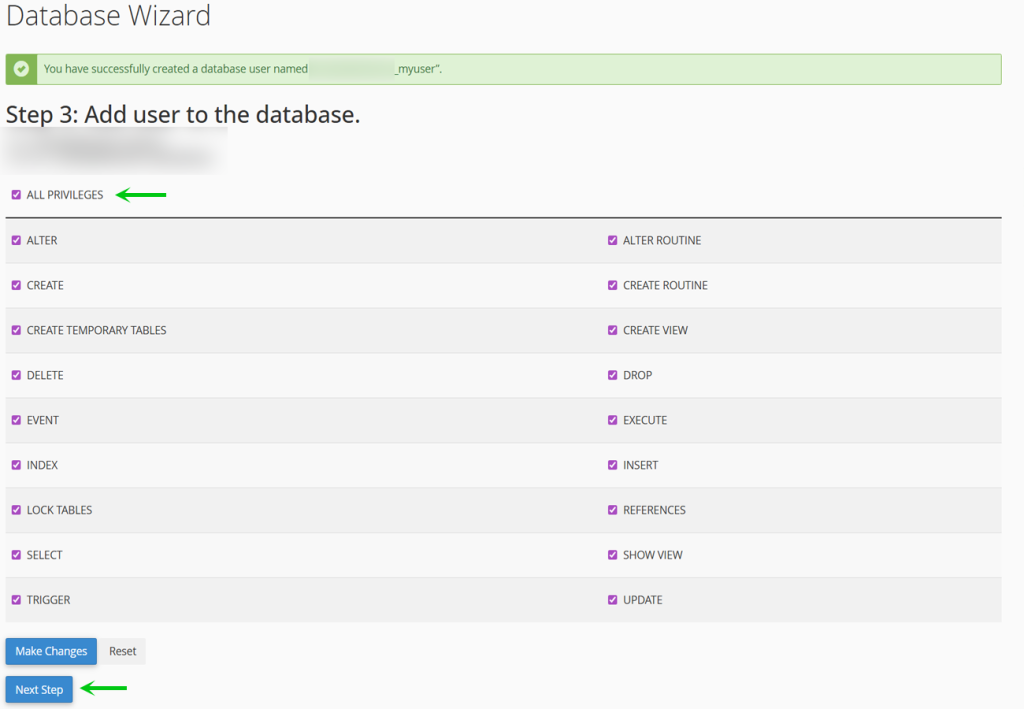
Finally, we select the database user permissions, by default all boxes are unchecked. You can give it certain permissions while leaving out others but for the sake of this example we’re going to grant the user ALL PRIVILEGES as if you were to install WordPress for example, the last thing you want is to accidentally forget a permission that is required. When you are done you click the blue Next Step.
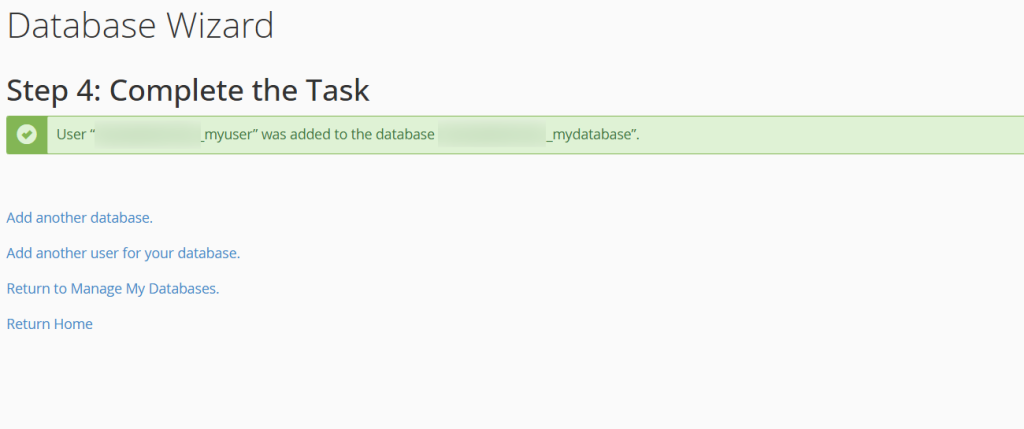
Your Database is Ready
That is it, now you know how to perform a cPanel MySQL Database setup through your Packetra hosting account.
Frequently Asked Questions
Can I create multiple databases? Yes. The number of databases you can create depends on your hosting plan. You can check your limit in cPanel under the MySQL Databases section.
Do I need a separate user for each database? Not necessarily. One database user can be assigned to multiple databases. However, for security we recommend creating a separate user for each database, especially if you run multiple websites on the same hosting account.
What privileges should I give the user? For most applications like WordPress, Joomla or Laravel, granting ALL PRIVILEGES is the safest option. Only restrict privileges if you have a specific reason to do so.
Good to Know Always write down your database name, username and password somewhere safe. You will need these when configuring your website or application. Additionally, remember that cPanel prefixes both the database name and username with your hosting account username, so the actual names will be longer than what you typed. If you ever need to manage your databases directly, you can use phpMyAdmin which is also found under the Databases section in cPanel. If you run into any issues, open a support ticket through the client portal and our team will assist you.